
ElementTurn Professional · Example build: Operations
Daily Board
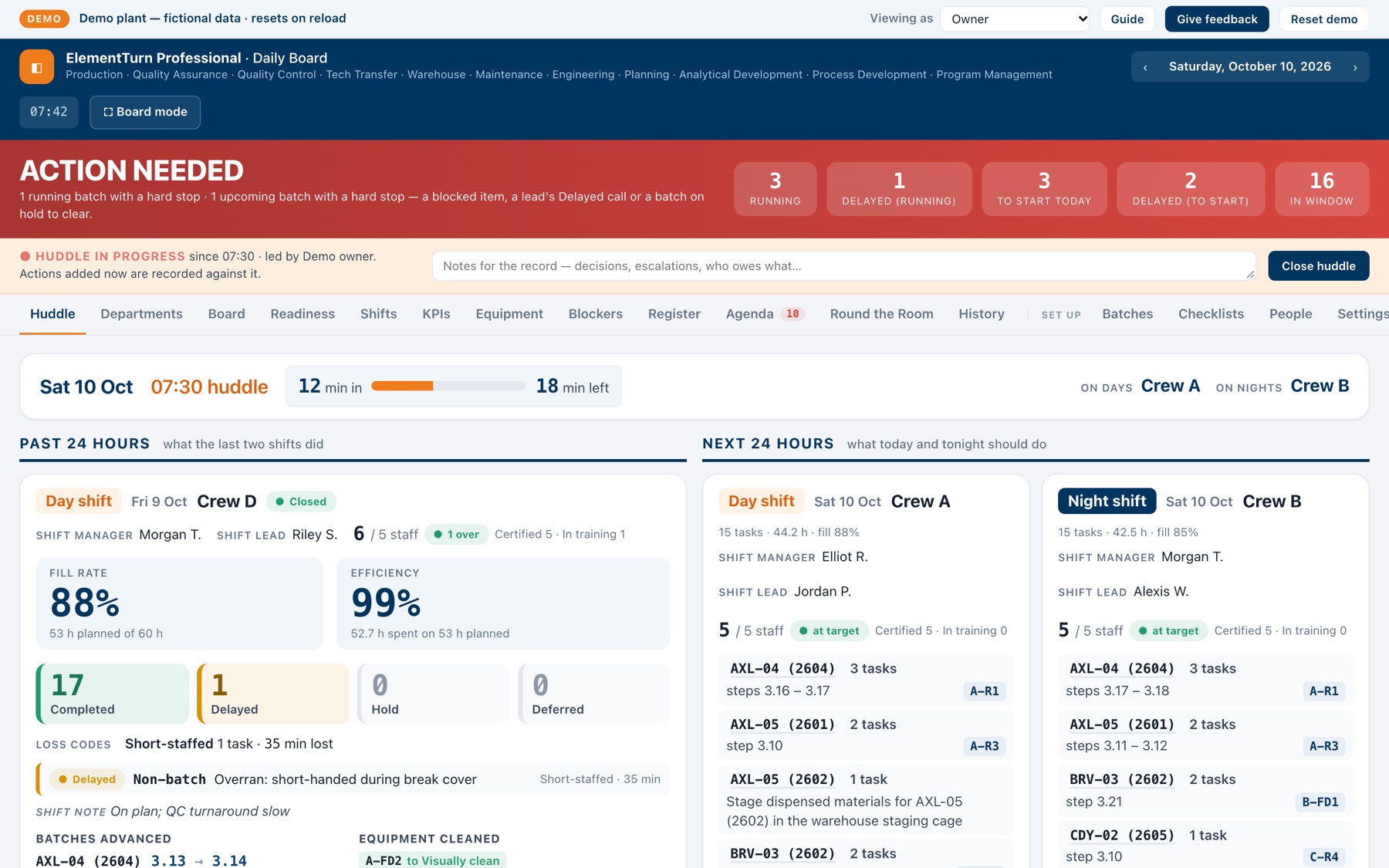
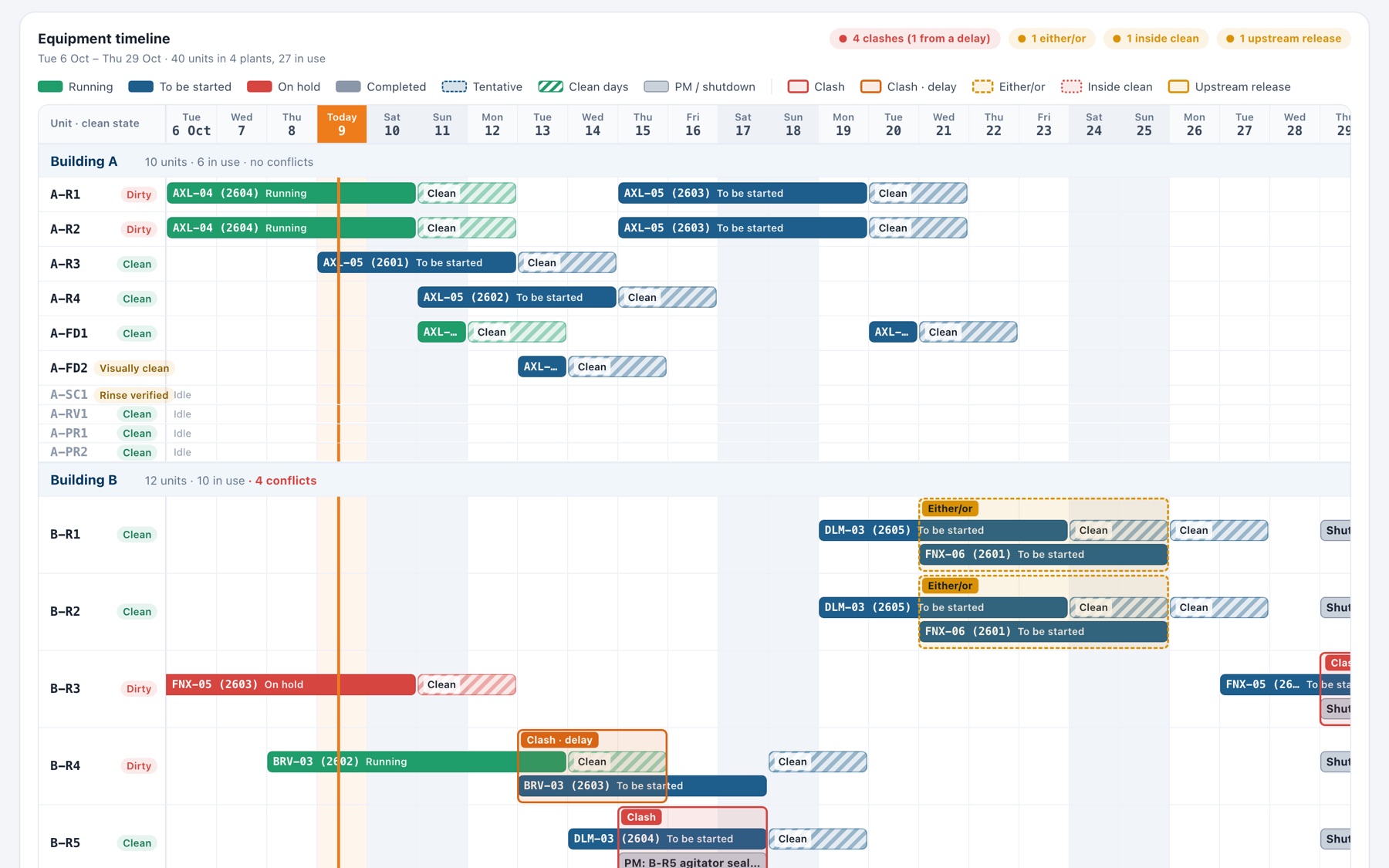
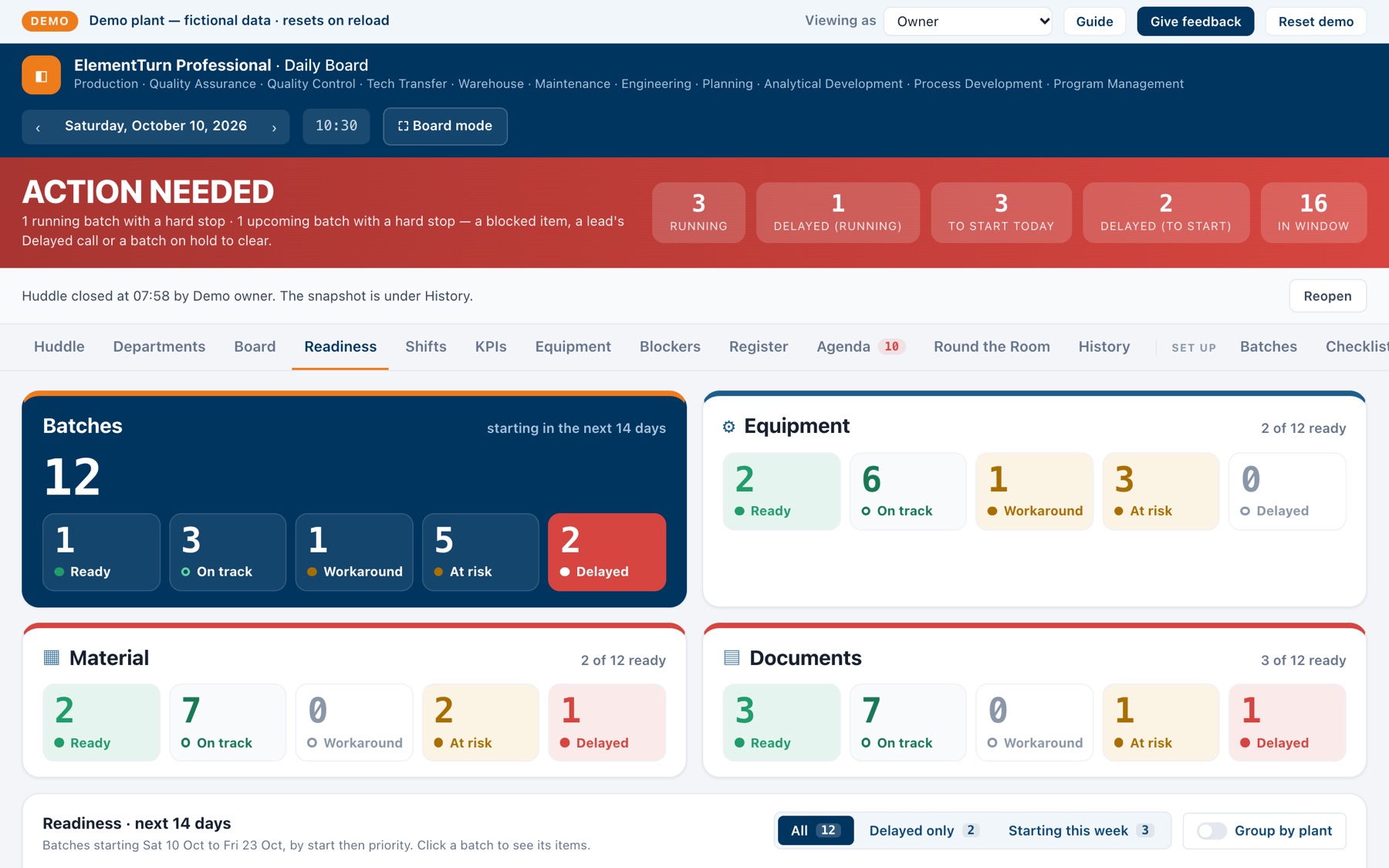
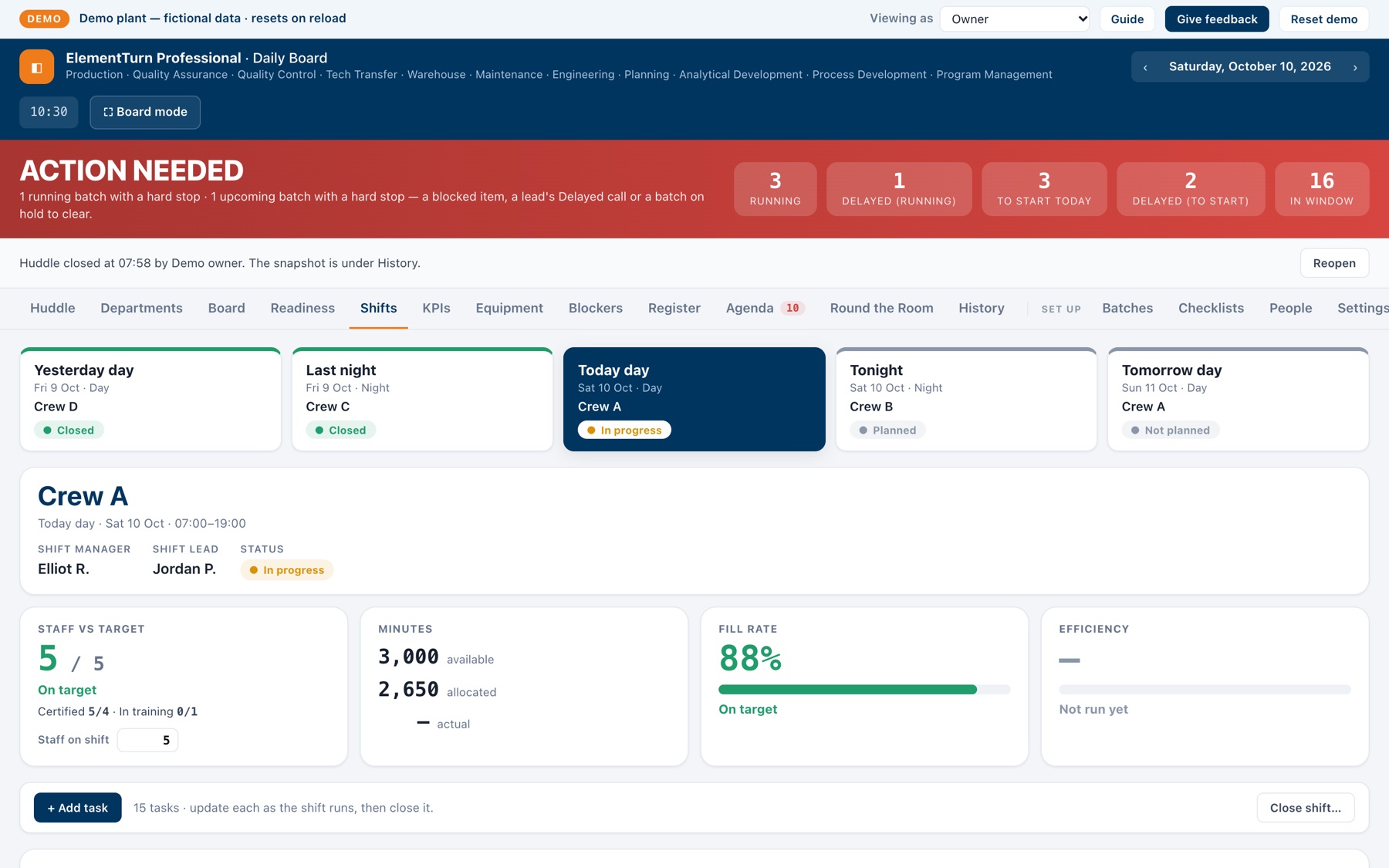
An example Operations build: the morning huddle board for a fictional regulated plant. Every batch, the checks each department owes it, the equipment and the shifts, on one screen the whole room reads together.
Daily Board is an example of an Operations build, made for a fictional plant. The board built for your company uses your departments, equipment, shifts and words. See ElementTurn Professional.
The demo is available by invitation. The board is built for a computer and the meeting-room TV, so open the demo on one of those. This page reads fine on a phone.
Preview
Four screens from the demo
Each picture shows the demo on that screen, as the owner.
What it replaces
One board instead of six workarounds
Most plants run the morning on a stack of files that each hold part of the picture. In this example, the board keeps one record and every screen reads from it.
-
Instead ofThe whiteboard or slide deck the huddle runs fromThe boardA live screen built from the day's records. The past 24 hours and the next 24 are already on it when the room arrives, and Board mode sizes it for the TV.
-
Instead ofThe schedule spreadsheet passed around by emailThe boardOne plan everyone reads: each batch with its dates, equipment and clean days. Import the spreadsheet you already keep, lock the month as a baseline and see what moved.
-
Instead ofDepartment readiness trackersThe boardEach department's checklist sits on the batch. The items roll up into one call per department and per area, in the same words on every screen.
-
Instead ofThe shift log spreadsheetThe boardShifts are planned, updated and closed on the board: tasks by technician, minutes, and a loss code required for anything delayed, held or deferred.
-
Instead ofThe handover email at shift changeThe boardA handover message before each shift change: the priorities, the cleaning queue, the last shift's close-out and the next shift's plan.
-
Instead ofA KPI dashboard filled in by handThe boardKPIs that come from the closed shifts themselves: fill rate, efficiency, minutes lost by loss code and staff against target, shift by shift.
Configuration
What was set for this plant
The example plant was set up with the items below. A build for your company sets the same things from your departments, equipment, shifts and words.
Departments and checklists
Each department's readiness checklist: the items, who owns them, when each falls due against the batch start, and which batches it applies to.
Equipment and buildings
Your equipment register by building, paired units, and the cleaning states in your own words.
Crews and shifts
Your crews, the shift rotation, day and night start times, and the productive minutes each technician owes a shift.
Batch templates
Recurring schedules saved once, then started or scheduled as a series, with every equipment conflict shown before anything is written.
Loss codes and task categories
The reasons your plant uses for delayed, held or deferred work, and the kinds of task a shift plans.
Targets
Fill rate, efficiency and staffing targets, and how many days ahead readiness looks.
Roles
Owner, lead, member and viewer, each tied to their departments. Controls a role cannot use are hidden, and the database refuses the same changes.
Your schedule spreadsheet
Import it with a column mapping the board remembers. A re-import moves batches that changed instead of duplicating them.
Messages
The huddle and morning digest times, who gets each department's digest, and the handover sent before each shift change.
How a build is made
Find · Build · Ship
The same method behind everything NDNS makes. For an Operations build at your company, it runs like this. See ElementTurn Professional for how one build can cover Operations, Capital Projects and KPI Dashboards.
Find
Sit in your huddle. Read the schedule, the trackers and the shift logs you run on today, and note where people work around them.
Build
Build the screens around your departments, equipment, shifts and words, then load your live schedule.
Ship
Run it alongside your current method, adjust what does not fit, then switch over and retire the old files.
A build does not stop at go-live: changes your team asks for afterwards get built in. For example, a repeat schedule typed in by hand, batch after batch, can become a saved batch template.
Want someone embedded with your team for the rollout? That is forward-deployed engineering.
See the example
The demo is a fictional plant. It is available by invitation, runs in your browser and resets when you reload.